> For the complete documentation index, see [llms.txt](https://hdsd.vdsc.com.vn/llms.txt). Markdown versions of documentation pages are available by appending `.md` to page URLs; this page is available as [Markdown](https://hdsd.vdsc.com.vn/faqs-nhung-cau-hoi-thuong-gap/15.-toi-quen-mat-khau-dang-nhap-muon-lay-lai-mat-khau-thi-phai-lam-sao.md).
# 15. Tôi quên mật khẩu đăng nhập, muốn lấy lại mật khẩu thì phải làm sao?
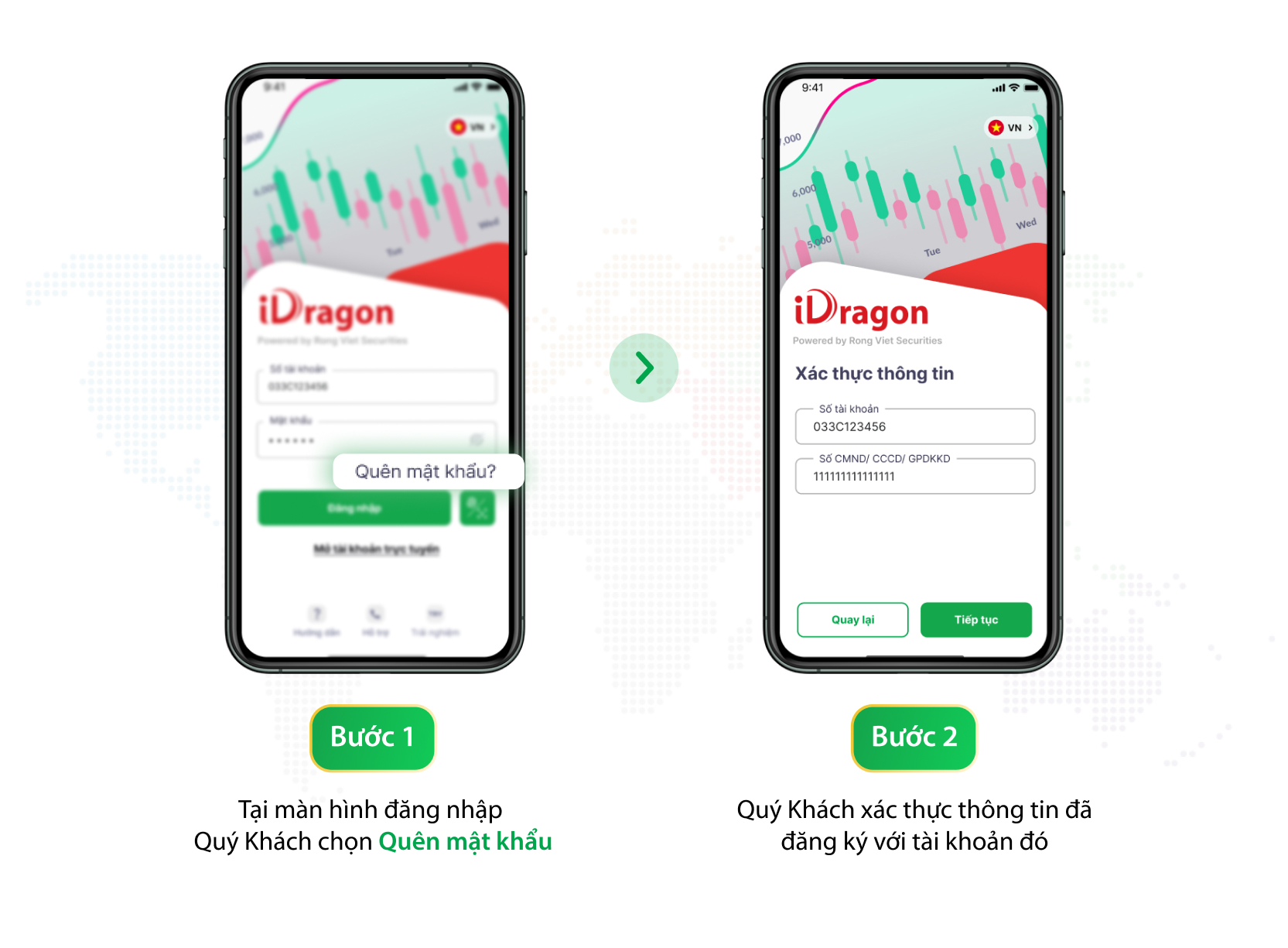
* Bước 1: Tại màn hình đăng nhập Quý Khách chọn “**Quên mật khẩu**”
* Bước 2: Quý Khách nhập STK chứng khoán đã đăng ký tại Rồng Việt và thông tin CMND/CCCD/ GPDKKD đã đăng ký với tài khoản đó
* Bước 3: Quý Khách thực hiện **Tạo mật khẩu mới**
* Bước 4: Xác thực OTP qua SMS hoặc Email. Chúc Quý Khách đã cập nhật mật khẩu thành công.
**Lưu ý**: Mật khẩu tối thiểu 8 ký tự, có phân biệt chữ hoa/ chữ thường và không sử dụng các ký tự đặc biệt (+,-,\*,/,…).